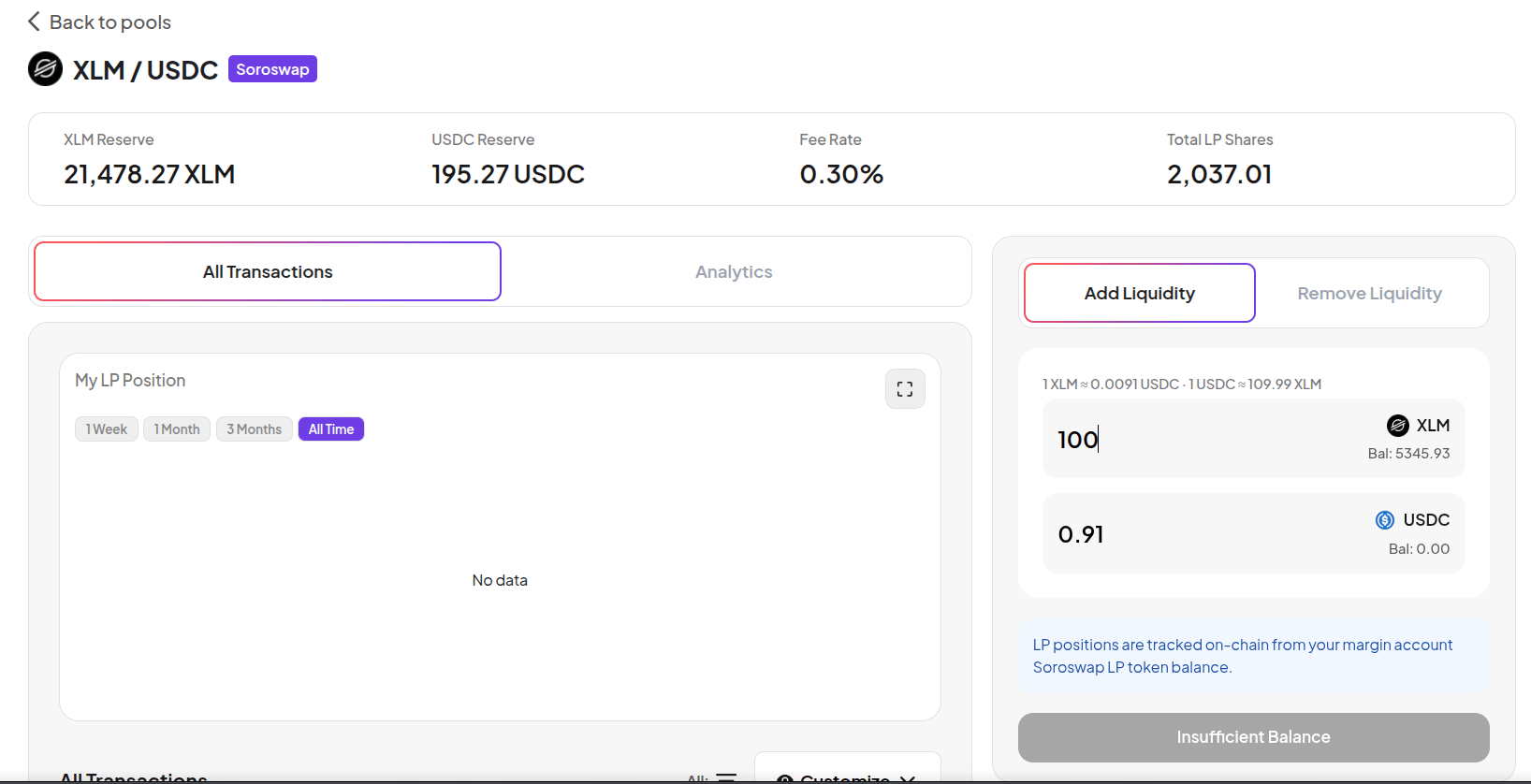
Add Liquidity
1
Go to Farm
Click Farm in the top navigation. Select the LP/Multiple Assets filter to see all available LP pools. Each pool shows the protocol (Soroswap, Aquarius), pool reserves, trading fee rate, and Pool APR.
2
Select a pool
Click on an LP pool. The pool page shows: reserves of both assets, fee rate, total LP shares, and your current LP balance.
The right panel shows two input fields - one for each asset. Enter an amount for one asset and the other calculates automatically based on the pool’s current ratio.

3
Enter amounts
Enter the amount for the first asset. The second amount fills in automatically to match the pool ratio. Both assets must be available in your Margin Account balance.
4
Confirm
Click Add Liquidity and approve in your wallet. You receive LP shares credited to your Margin Account.
Analytics tab
The Analytics tab shows full pool statistics - reserves for each asset, fee rate, total LP shares outstanding, and your current LP balance.
Remove Liquidity
1
Go to Farm and select your pool
Open the LP pool where you have a position.
2
Switch to Remove Liquidity
Click Remove Liquidity. Enter the number of LP shares to redeem, or use the percentage buttons (25% / 50% / 75% / 100%).
3
Confirm
Click Remove Liquidity and approve in your wallet. You receive both assets back proportional to your pool share, plus accumulated trading fees.