Understanding b-Tokens
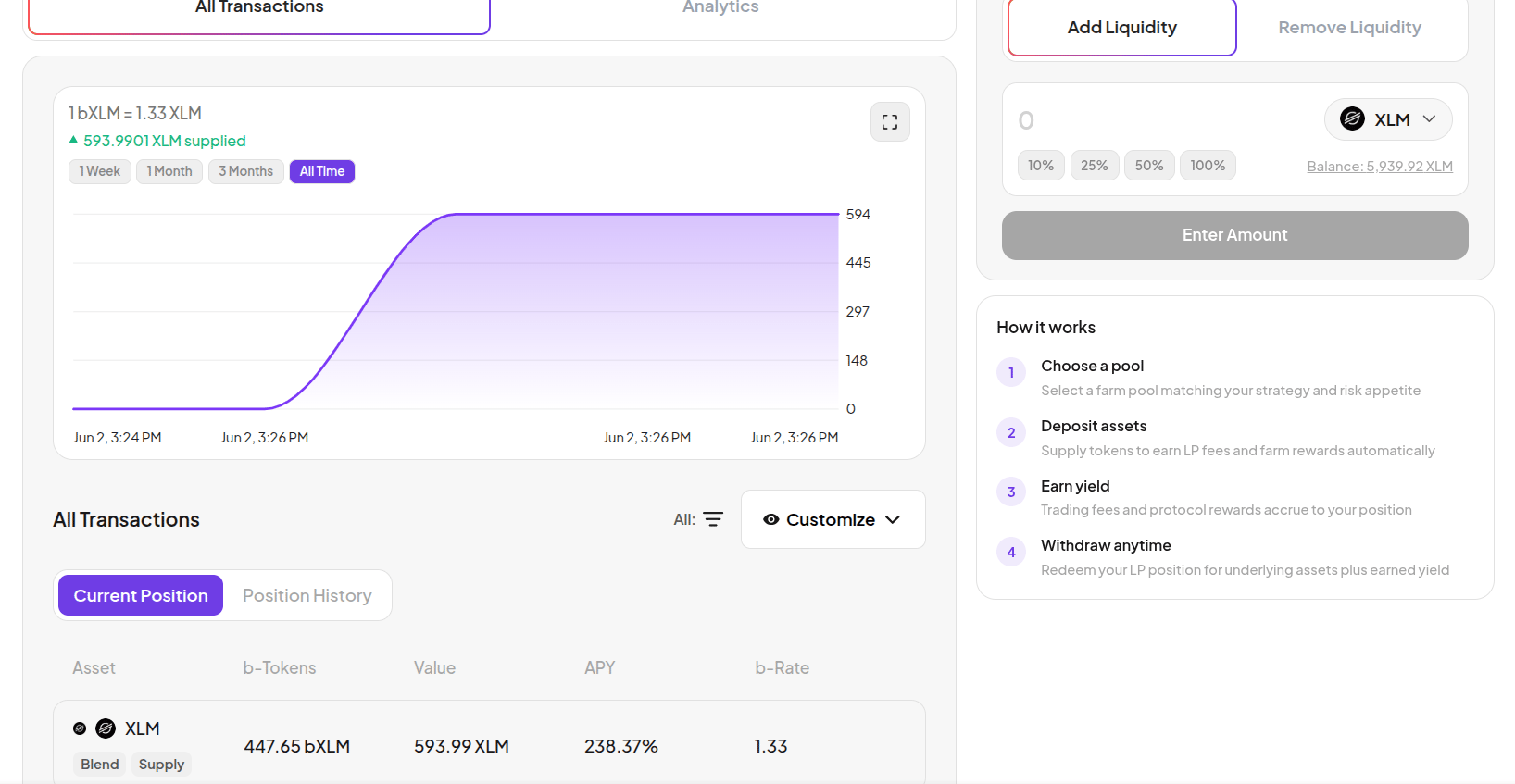
b-Tokens work similarly to vTokens in the Earn section, but they come from a different external protocol. The key concept is the b-Rate - the exchange rate between your b-Token and the underlying asset. Example: If1 bXLM = 1.33 XLM, depositing 593.99 XLM gives you 447.65 bXLM. As borrowers pay interest, the b-Rate increases - so when you withdraw, your 447.65 bXLM redeems for more than 593.99 XLM. The difference is your earned yield.
Your b-Token balance stays constant. The b-Rate goes up. That’s how yield accrues.
Add Liquidity
1
Go to Farm
Click Farm in the top navigation. On the pool list, select the Lending/Single Assets filter to see single-asset pools.
2
Select a pool
Click on a single-asset pool. The pool page shows live statistics: Supply APY, Borrow APY, Utilization Rate, Total Pool Supply, and the current b-Rate.

3
Enter an amount
Make sure Add Liquidity is selected on the right panel. Enter the amount to deploy from your Margin Account balance. Use the quick-select buttons (10% / 25% / 50% / 100%).The panel shows:
- b-Tokens you will receive
- APY - current supply yield
- Projected monthly and yearly earnings
- Source - how much of the amount comes from your borrow vs collateral balance
4
Confirm
Click Add Liquidity and approve the transaction in your wallet.
5
View your position
After confirming, go to the All Transactions tab. Your position chart shows your supplied value over time. The position table shows your b-Token balance, current value, APY, and b-Rate.

Analytics tab
Click the Analytics tab on the pool page for detailed pool statistics - Supply APY, Borrow APY, Utilization, Total Supply, Total Borrow, and the current b-Rate.
Remove Liquidity
1
Go to Farm and select your pool
Click Farm and open the pool where you have a position.
2
Switch to Remove Liquidity
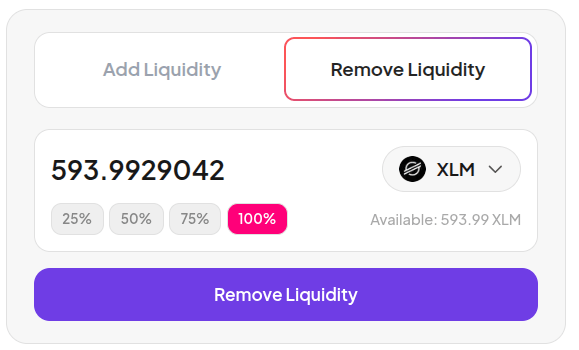
Click Remove Liquidity on the right panel. Your full b-Token balance is pre-filled. Use the percentage buttons (25% / 50% / 75% / 100%) to choose how much to withdraw.

3
Confirm
Click Remove Liquidity and approve in your wallet. The underlying asset returns to your Margin Account balance.
Related
- Farm Overview
- LP Pools
- Earn Overview - Vanna’s native lending pools (different from Farm)